What does it mean to exit Corporate NPS?
The National Pension System (NPS) allows employees to invest for retirement through their employer under the Corporate Sector. But what happens when you leave the company, change jobs, or simply want to manage your NPS account independently?
You may have heard that you need to exit Corporate NPS. This can sound as though you must close your account or withdraw your retirement savings. That is not what you are supposed to do.
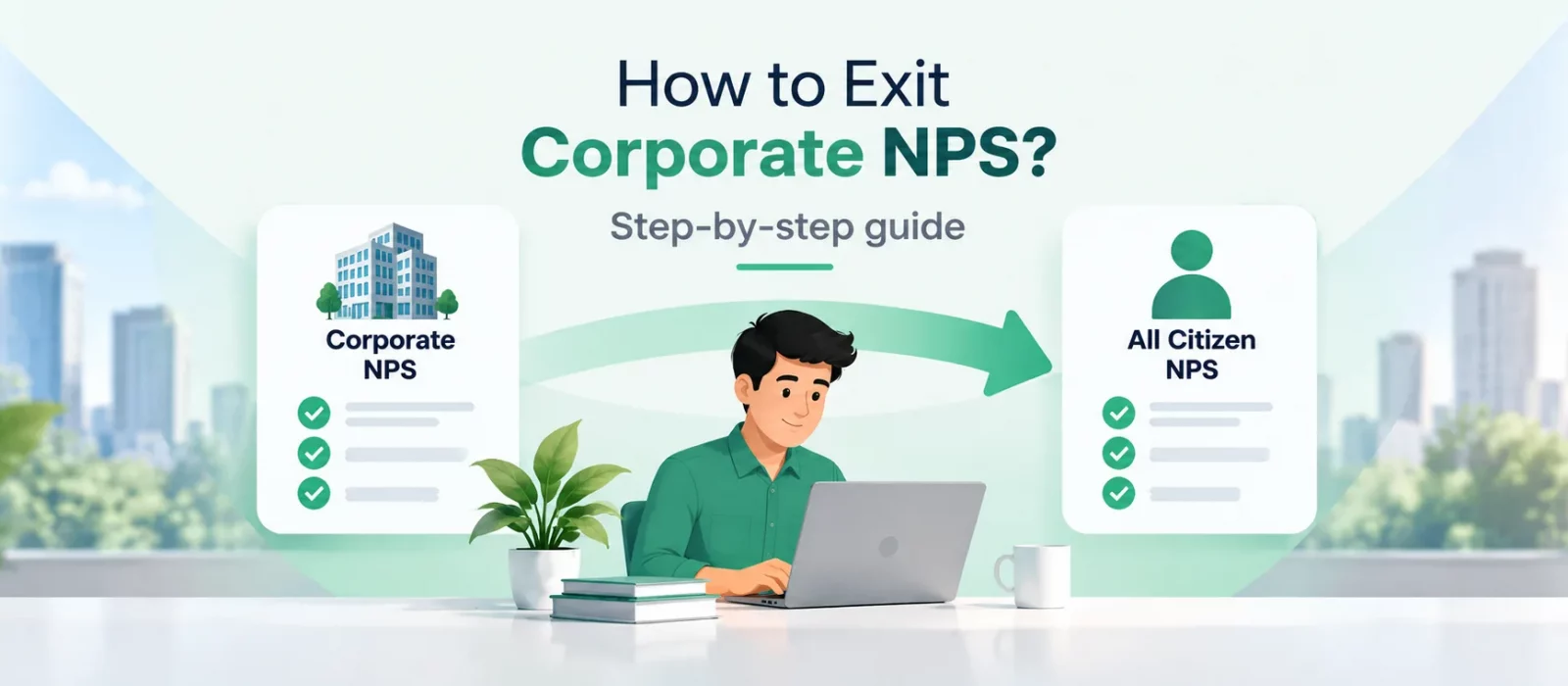
Exiting Corporate NPS in this context means changing your NPS account classification from the Corporate Sector to the All Citizen Model, also referred to as the individual or voluntary subscriber model. Your Permanent Retirement Account Number (PRAN) remains the same, and your accumulated NPS wealth continues in the account, subject to applicable NPS rules and processes.
The important question is whether you actually need to make this change—and, if you decide to, how to do it.
Why would you need to exit Corporate NPS?
There are several situations in which changing your NPS sector may be useful.
1. You have left your employer
If you leave a company that offers Corporate NPS, you may no longer be able to make contributions through that employer. You might want to continue investing in NPS independently rather than rely on your next employer to offer the scheme.
Moving to the All Citizen Model allows you to manage your NPS account as an individual subscriber and make voluntary contributions, subject to the applicable rules.
2. Your new employer does not offer Corporate NPS
Not every employer offers Corporate NPS as an employee benefit. If your next company does not have an NPS arrangement, you can consider changing your existing account to the All Citizen Model so that you can continue contributing independently.
You do not need to open a new NPS account just because you have changed employers. Your PRAN is portable across sectors.
3. You want to manage your NPS independently
Some subscribers prefer to manage their retirement investments without depending on their employer’s NPS arrangement. A sector change can make sense if you want to take responsibility for your own contributions and account servicing.
However, this is a matter of preference. You do not need to change sectors simply because you want to retain control over your retirement savings. Because even under the Corporate Sector you continue to have full control on your investments.
Do you have to exit Corporate NPS when you leave a job?
No. A sector change is not automatically necessary just because you leave your employer.
Your NPS account is designed to be portable. Your PRAN remains the same when you move between employers or sectors, and your accumulated pension wealth does not have to be withdrawn merely because your employment changes.
If your next employer offers Corporate NPS, you may be able to associate your existing PRAN with the new employer’s arrangement through the applicable process. If your employer does not offer Corporate NPS, you can consider shifting to the All Citizen Model.
The choice depends on your circumstances and how you want to continue contributing.
Most importantly, not changing your sector does not, by itself, mean that your existing retirement investments are lost, liquidated, or reset. A sector change is an administrative step; it is not the same as an exit from NPS that involves withdrawing your pension wealth.
However, there is a scenario in which you must exit from Corporate sector. That is if you want to exit from NPS either post 15 years maturity or pre-maturely. If your account is still under Corporate sector then you may not be eligible to exit from NPS till the defined retirement age of that employer. E.g., Today you are 45 years old with PRAN attached to a company named, Softgene Technologies. The defined retirement age for this company is 60 years. You are not eligible to exit from NPS until you change your PRAN from corporate sector to all citizen sector.
How to exit Corporate NPS and switch to the All Citizen Model
There are two ways to initiate a sector change: through your Central Recordkeeping Agency (CRA) or, where available, through the Floatr app.
Option 1: Change your sector through the CRA portal
You can initiate the process through the CRA with which your NPS account is registered.
- Log in to your CRA subscriber portal using your existing credentials.
- Look for the option related to sector change or inter-sector shifting.
- Select the relevant option to change your account from the Corporate Sector to the All Citizen Model.
- Complete the required details and submit the request, following the instructions shown on the portal.
- Keep the acknowledgement or reference number, if provided, so that you can track the request.
The exact menu names and steps may differ depending on your CRA and the current portal interface. If you cannot find the relevant option, refer to your CRA’s instructions or contact its subscriber support team.
Option 2: Exit Corporate NPS through the Floatr app
If your employer offers Corporate NPS through Floatr, you can initiate the sector change directly from the Floatr app.
- Log in to the Floatr app.
- Navigate to the Corporate NPS section.
- Select the option to Exit from Corporate NPS.
- Follow the on-screen instructions and submit your request.
The Floatr process is designed to take less than a minute. For eligible subscribers, the sector change is processed instantly through the app.
This makes it easier to manage the transition without having to navigate the CRA portal separately.
Already have an NPS account with an employer that does not use Floatr?
You can still use Floatr to access and manage your existing NPS account.
Download the Floatr app and use the Link PRAN to Floatr app functionality to link your existing NPS account. Once linked, you can access and operate your NPS account under the All Citizen Model through the available functionality in the app.
This is useful if your current or previous employer offered Corporate NPS through another service provider and you want to manage your account independently.
Follow the instructions in the app to link your PRAN and complete any required verification.
Your PRAN stays with you. Your retirement journey can continue, even when your employment changes.
Frequently asked questions
1. Is exiting Corporate NPS the same as closing my NPS account?
No. A sector change from Corporate NPS to the All Citizen Model is different from withdrawing your pension wealth and closing your NPS account. Your existing PRAN remains the same.
2. Will I lose my accumulated NPS corpus if I leave my company?
No. Leaving your employer does not, by itself, mean that your accumulated NPS wealth is lost or liquidated. Your PRAN is portable across sectors, and your pension wealth continues under the applicable NPS rules.
3. Do I have to switch to the All Citizen Model after changing jobs?
Not necessarily. If your new employer offers Corporate NPS, you may be able to associate your existing PRAN with the new employer. If the employer does not offer Corporate NPS, you can consider switching to the All Citizen Model to continue investing independently.
4. Can I continue contributing to NPS after exiting Corporate NPS?
Yes. Under the All Citizen Model, you can make voluntary contributions to your NPS account, subject to the applicable rules and account arrangements.
5. Will I get a new PRAN after the sector change?
No. Your existing PRAN remains the same. You do not need to open a new NPS account merely because you change sectors.
6. How long does it take to exit Corporate NPS through Floatr?
For eligible subscribers using Floatr’s Corporate NPS arrangement, the app’s sector-change process is designed to take less than a minute, with the change processed instantly through the app. The process and timing may differ for other CRAs or service providers.
7. Can I link an existing Corporate NPS account to Floatr if my employer does not use Floatr?
Yes. You can use the Link PRAN to Floatr app functionality to link your existing NPS account and access the available All Citizen Model functionality through Floatr, subject to the app’s eligibility and verification requirements.
8. Should everyone exit Corporate NPS?
No. A sector change is not compulsory for every subscriber. If your current arrangement works for you, or your next employer offers Corporate NPS, you may not need to change sectors. Consider your employment situation, contribution plans and preferred way of managing the account before deciding.